
worldmonitor is the official command-line client for the World Monitor global-intelligence platform. Run it with no arguments and it opens a full terminal dashboard with the same live data as the web dashboard, mouse support and colour themes, and no API key required. Its scripting commands are a thin, dependency-free wrapper over the MCP server (the recommended agent surface) with a REST escape hatch, so you can pull briefs, risk scores, and conflict / cyber / market / news feeds from a shell script or an agent without writing a single line of HTTP plumbing. It ships as ESM and runs on Node 18+.
The source lives in cli/ in the main repository and is published to npm on every cli-v* release tag.
Maintainers can follow the CLI release runbook when cutting a new npm version.
Prefer a library over a shell? The same client ships as official SDKs for Python, Ruby, and Go.
Install
Terminal dashboard
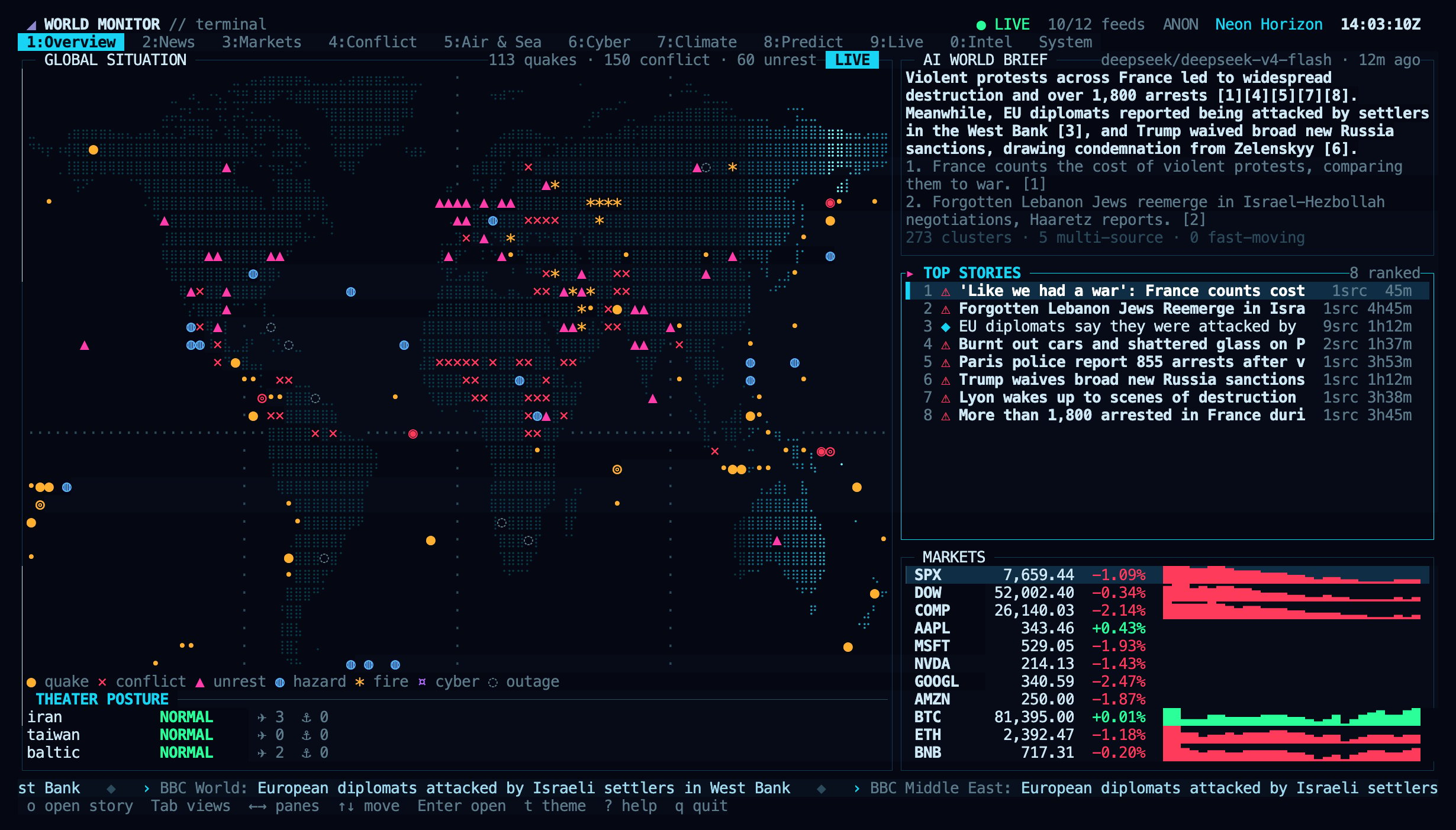
The terminal dashboard's Overview view.
worldmonitor in an interactive terminal and it opens a full-screen dashboard with the same live data as the web app: a zoomable world map and globe with every layer and satellite imagery, the AI brief with its sources, news, markets, conflict, military flights and shipping, cyber, climate, prediction markets, live TV and platform health. It needs no API key and supports the mouse and colour themes. In a pipe or script, worldmonitor with no command prints help, so automation is unaffected.
See Terminal Dashboard for every view, key, theme, option and live-video setting.
First call — no key needed
tools lists every MCP tool and is public, so it’s the fastest way to confirm the CLI reaches the API:
tools/call and needs a user API key.
Authenticate
Data commands map to MCPtools/call. Except for worldmonitor call get_sources, they require a subscription API key. Grab one at worldmonitor.app/pro, then either pass it per-call or export it once:
X-WorldMonitor-Key header. See Authentication for how keys, OAuth, and browser sessions differ, and Rate Limits for the per-plan allowances. If you call a subscription-gated data command with no key, the CLI exits 1 and prints a hint telling you exactly which flag to pass.
Data commands
Ergonomic shortcuts over the highest-traffic tools. Positional arguments (like an ISO country code) and any--key value pair flow straight through as tool arguments:
Any tool, any argument
The curated table stays small on purpose — every registered tool is reachable viacall, and any unrecognised --key value becomes a tool argument, so nothing needs special wiring:
--args '<json>' when you need typed (non-string) arguments; otherwise --key value pairs are collected as strings.
REST escape hatch
For host-relative paths, self-hosted deployments, or the OpenAPI catalog:health maps to the auth-gated platform health endpoint, so it requires --api-key. list reads the public OpenAPI spec and needs no key.
Flags
Exit codes
Predictable exit codes make the CLI safe to drive from shell pipelines and CI.
Programmatic use
The same logic is importable — handy for embedding in a Node script without shelling out:run() takes an injectable IO bag (fetch, env, stdout, stderr), so it’s fully testable offline, and returns the numeric exit code.
Where to go next
- MCP Quickstart — connect Claude Desktop and make your first tool call over the Model Context Protocol.
- MCP Tools Reference — per-tool parameters, freshness budgets, and examples for the live tool registry.
- JMESPath guide — projection grammar to shrink responses by 80–95%.
- Authentication — API keys vs. OAuth vs. browser session.
- API Reference — the full REST service catalog behind the
getandlistcommands.